Skip to content

Put your notch to work.

Top Notch turns the black cutout at the top of your MacBook screen into a small panel for music, weather, YouTube, a focus timer, your calendar and clipboard.

$9.99 once · macOS 14 or later · Apple silicon or Intel

The notch is closed.

Real screenshots from Top Notch. Click or tap the notch to close it.

Everything opens from the same black shape.

Control the song without leaving your work.

Apple Music or Spotify artwork and controls sit at the top of the screen. Skip, scrub or pause. Switch on lyrics and the current line follows the song.

  • Works with Apple Music and Spotify
  • Synced lyrics from LRCLIB, off until you switch them on
  • macOS asks once for permission to control each player
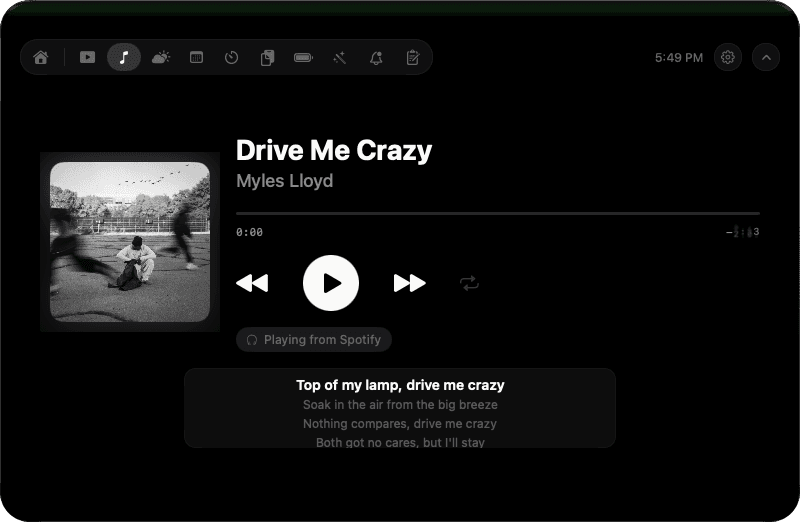
Music panel: album artwork, the song Drive Me Crazy by Myles Lloyd playing from Spotify, playback controls and synced lyrics.

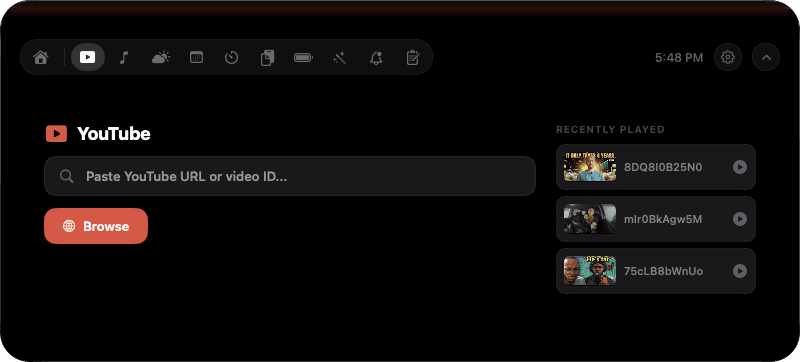
Paste a YouTube link. It plays in the notch.

Keep a talk or tutorial playing while you work. Pop it into a small floating window above your other apps, then find it again in the recent list.

  • Floating window stays on top of other apps
  • Remembers the last five videos you played
  • Some videos block embedding. Those open in your browser instead
YouTube panel: a field to paste a YouTube link, a Browse button and three recently played videos.

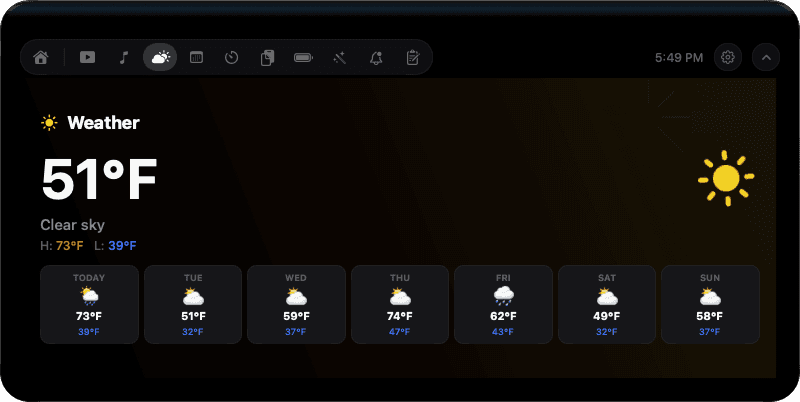
The forecast, one glance up.

Type in a city. You'll see current conditions, today's high and low, and the next seven days. Top Notch never asks for your location.

  • Hourly forecast and seven-day outlook
  • Celsius or Fahrenheit
  • No location permission
Weather panel: 51°F and clear sky, today's high and low, and a seven-day forecast.

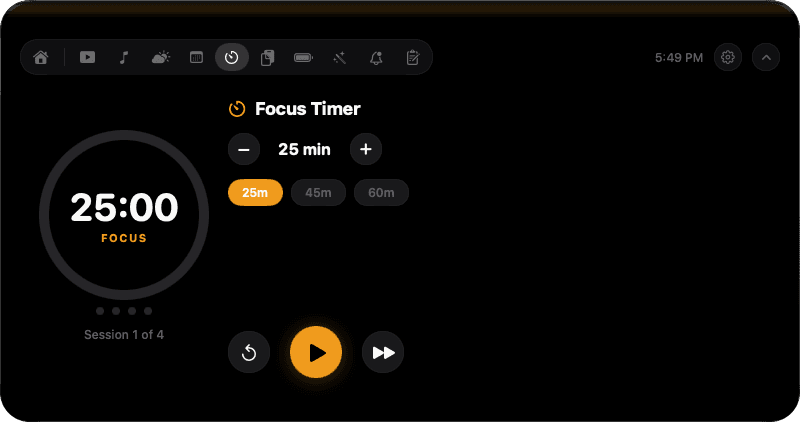
A focus timer you can see from the corner of your eye.

Pick 25, 45 or 60 minutes, or set your own length. The ring counts down in the notch, and the session count shows where you are in the cycle.

  • 25, 45 and 60-minute presets
  • Or set your own length with + and −
  • Breaks between sessions
Focus timer panel: a 25:00 countdown ring, session 1 of 4, and 25, 45 and 60 minute presets.

And the small things.

Clipboard history
Keeps the last 20 pieces of text you copied, ready to copy again with one click. It's off until you turn it on.
Calendar
Shows today's events from the Calendar app. Top Notch reads them and never edits them.
Quick notes
Catch a thought before it's gone, without opening another app.
Battery
Your Mac's charge, where macOS reports it.

What stays on your Mac.

No account to create. No analytics in the app. Your settings, clipboard history, notes and recent videos stay on your Mac. If you add a Gemini API key, it goes in the macOS Keychain.

Read the privacy policy

Some features contact a service when you use them, and only then:

Weather
The city you type goes to the weather service.
Lyrics
Song title, artist and length go to LRCLIB, if you turn lyrics on.
Artwork
Track details are used to fetch album artwork from Apple.
YouTube
Video requests go to YouTube.
AI summaries
Off by default. Turned on, the text you pick goes to Google Gemini with your own key.

The details.

Price
$9.99 in the US, paid once through the Mac App Store. No subscription.
Requires
macOS 14 Sonoma or later
Runs on
Apple silicon and Intel Macs
No notch?
On a Mac without one, Top Notch opens from a notch-sized panel at the top center of the screen.
Languages
English and 30 more
Account
None. There's nothing to sign up for.
Permissions
Control of Music and Spotify, and your calendar if you use it. Never Accessibility, Screen Recording, the camera or the microphone.
Refunds
Through Apple, like any Mac App Store purchase.

Questions people ask first.

All questions
How much does it cost? Is it a subscription?

Top Notch is $9.99 in the US, paid once through the Mac App Store. There is no subscription and no in-app account. Optional AI summaries use your own Google Gemini API key, and Google may charge you for that API use.

Does it work on a Mac without a notch?

Yes. On a Mac without a notch, including Intel Macs, Top Notch opens from a notch-sized panel at the top center of the screen.

Is Top Notch the same as TopNotch?

No. Top Notch (two words) is a paid Mac App Store app that puts music, YouTube, weather and a focus timer in your MacBook's notch. TopNotch from topnotch.app is a free app by a different team that hides the notch by turning the menu bar black. The two apps are not connected.

What permissions does it need?

macOS asks once for permission to let Top Notch control Apple Music and Spotify, and for calendar access if you use the calendar. Top Notch never asks for Accessibility, Screen Recording, the camera or the microphone. It runs in Apple's App Store sandbox.

What data leaves my Mac?

Only what a feature needs, when you use it. The city you type goes to the weather service. With lyrics on, the song title, artist and length go to LRCLIB. Track details are used to fetch artwork from Apple. Video requests go to YouTube. With AI summaries on, the text you choose goes to Google Gemini. There is no account and no analytics.

Does it replace the volume and brightness pop-ups?

Not in the Mac App Store edition. Apple's sandbox doesn't allow replacing the system volume and brightness overlays or adding global keyboard shortcuts, so this version leaves both alone.

Give your notch something to do.

$9.99 once · No subscription · No account